---
title: BrnInputText
group:
title: Input
order: 16
---
# BrnInputText
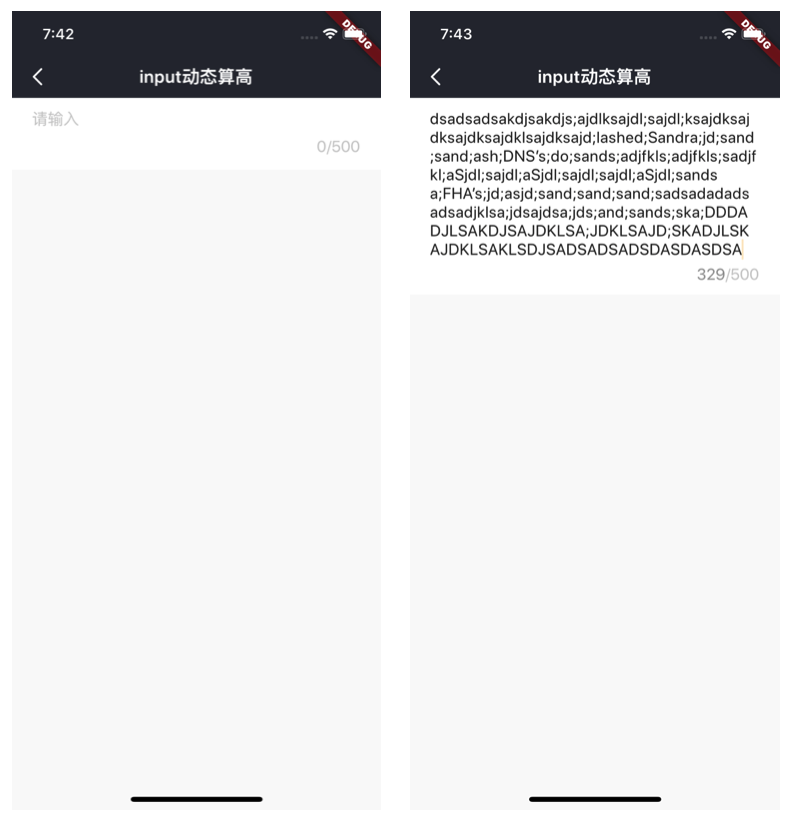
动态通用输入框
## 一、效果总览
 ## 二、描述
### 适用场景
1. 输入基础能力字数多少可配,数字提示字符串的位置会根据输入自动往下移动
2. 输入框初始高度可配
3. 根据输入内容动态算高
## 三、构造函数及参数说明
### 构造函数
```dart
BrnInputText({
this.onTextChange,
this.onSubmit,
this.maxHeight = 200,
this.minHeight = 50,
this.bgColor = Colors.white,
this.maxLength = 200,
this.minLines = 1,
this.hint,
this.maxHintLines,
this.padding = EdgeInsets.zero,
this.textString = "",
this.autoFocus,
this.textEditingController,
this.focusNode,
this.textInputAction,
this.textInputAction = TextInputAction.done,
this.borderRadius,
this.borderColor,
});
```
### 参数说明
| **参数名** | **参数类型** | **描述** | **是否必填** | **默认值** |
| --------------------- | ---------------------------------------------------- | ------------------------------------------------------------ | ------------ | -------------------- |
| hint | String? | 输入提示语,默认为"请输入" | 否 | 默认值为国际化配置文本 "请输入" |
| textString | String | 输入框初始值 | 否 | "" |
| maxHintLines | int? | 最大 hint 行数 | | |
| textEditingController | TextEditingController? | 用于对 TextField 更精细的控制,若传入该字段,[textString] 参数将失效,可使用 TextEditingController.text 进行赋值 | 否 | |
| onTextChange | BrnInputTextChangeCallback = Function(String input)? | 搜索框输入内容改变时候的回调函数,str 为输入内容 | 否 | 无 |
| onSubmit | BrnInputTextSubmitCallback = Function(String input)? | 输入内容点击确定后的回调,str 为输入内容 | 否 | 空 |
| maxHeight | double | 容器的最大高度、输入框最大可以伸缩的高度 | 否 | 空 |
| minHeight | double | 容器的最小高度、输入框最小可以伸缩的高度 | 否 | 空 |
| bgColor | Color | 整个容器的背景颜色 | 否 | Colors.white |
| maxLength | int | 最大字数 | 否 | 200 |
| minLines | int | 最少几行、文字可以输入几行 | 否 | 1 |
| padding | EdgeInsetsGeometry | 文字离容器的上下左右的距离 | 否 | EdgeInsets.zero |
| borderColor | Color? | 边框颜色 | 否 | |
| borderRadius | double? | 背景圆角 | 否 | |
| autoFocus | bool? | 光标展示 | 否 | |
| focusNode | FocusNode | 搜索框的焦点控制器 | 否 | |
| textInputAction | TextInputAction? | 选择键盘的完成按钮 | 否 | |
| padding | EdgeInsetsGeometry | 文字距离边框的边距 | 否 | EdgeInsets.zero |
| textEditingController | TextInputAction | 键盘输入行为 | 否 | TextInputAction.done |
## 三、效果及代码展示
### 效果1
## 二、描述
### 适用场景
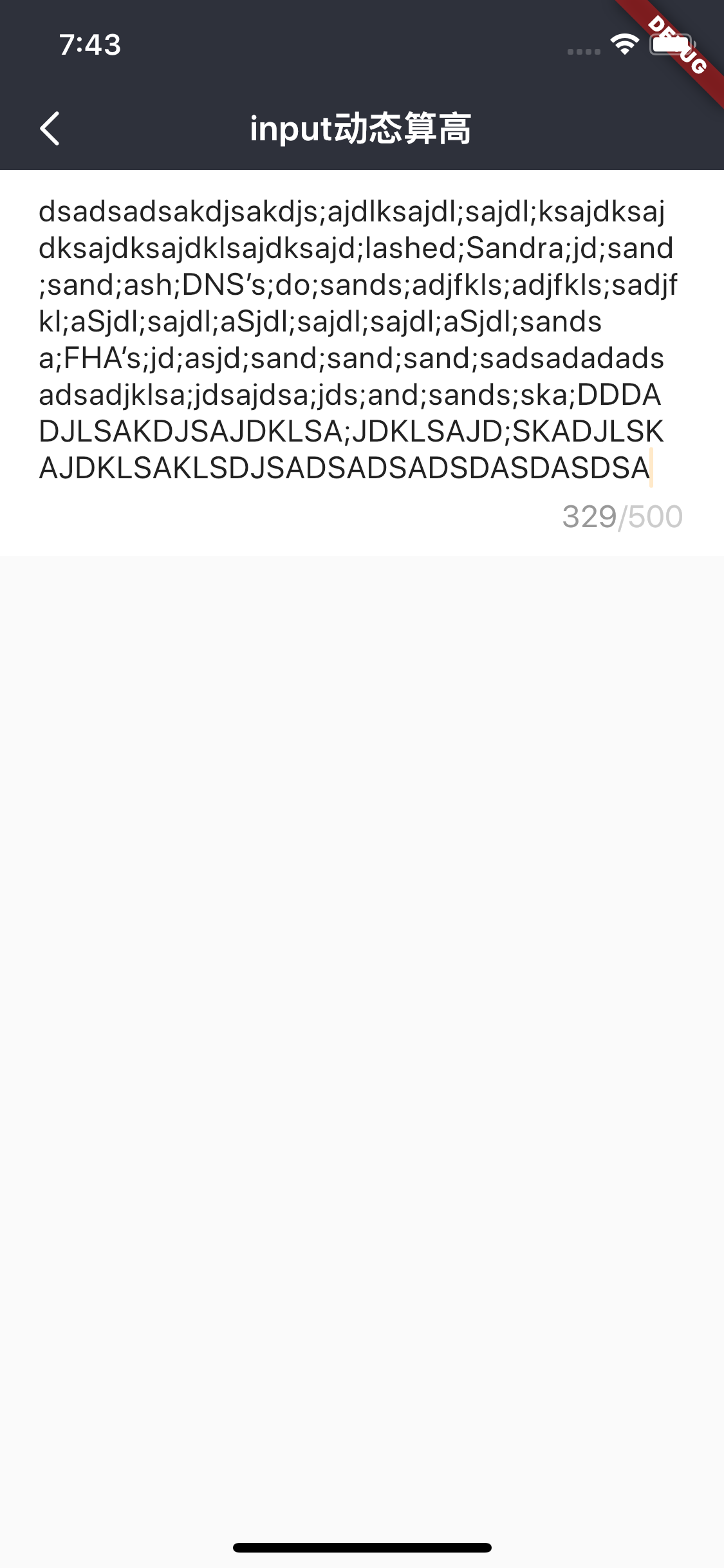
1. 输入基础能力字数多少可配,数字提示字符串的位置会根据输入自动往下移动
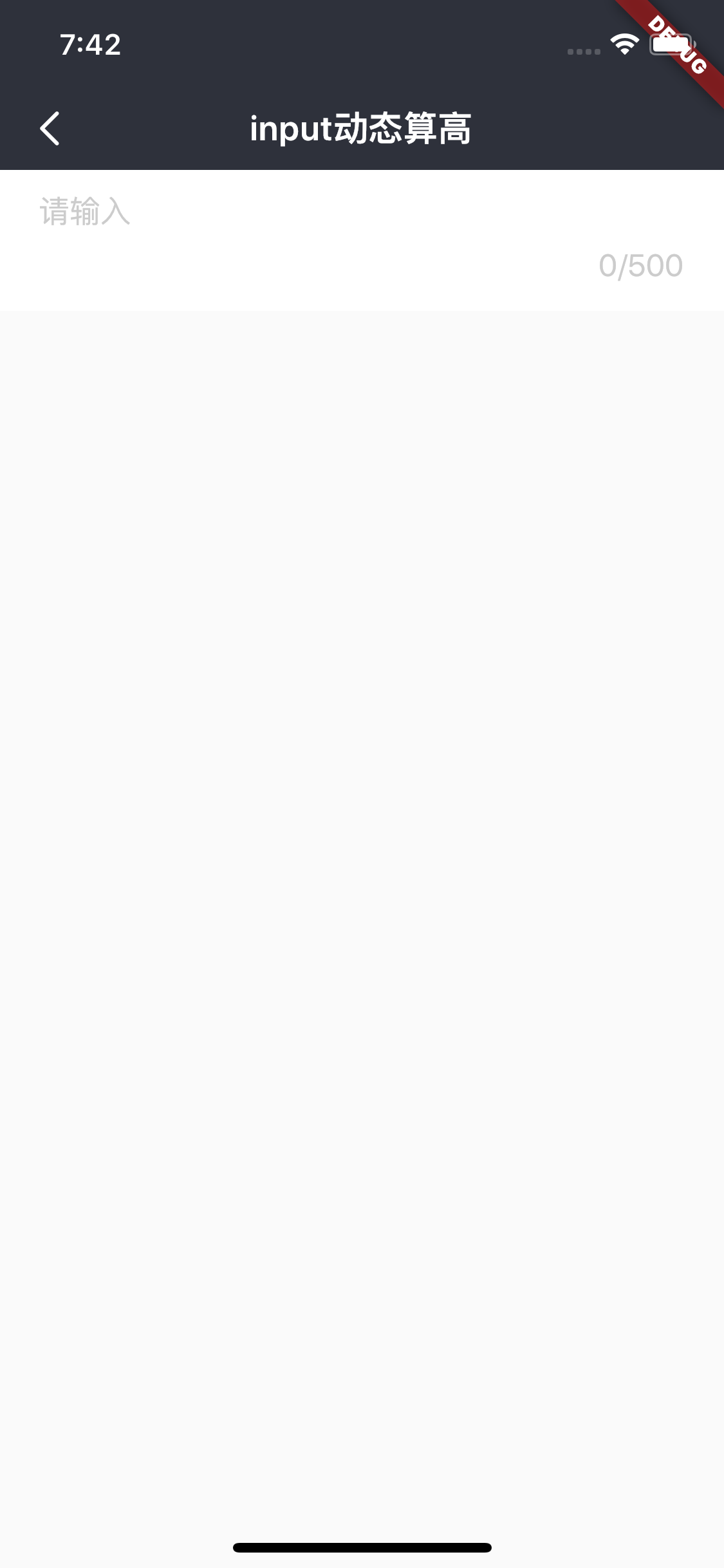
2. 输入框初始高度可配
3. 根据输入内容动态算高
## 三、构造函数及参数说明
### 构造函数
```dart
BrnInputText({
this.onTextChange,
this.onSubmit,
this.maxHeight = 200,
this.minHeight = 50,
this.bgColor = Colors.white,
this.maxLength = 200,
this.minLines = 1,
this.hint,
this.maxHintLines,
this.padding = EdgeInsets.zero,
this.textString = "",
this.autoFocus,
this.textEditingController,
this.focusNode,
this.textInputAction,
this.textInputAction = TextInputAction.done,
this.borderRadius,
this.borderColor,
});
```
### 参数说明
| **参数名** | **参数类型** | **描述** | **是否必填** | **默认值** |
| --------------------- | ---------------------------------------------------- | ------------------------------------------------------------ | ------------ | -------------------- |
| hint | String? | 输入提示语,默认为"请输入" | 否 | 默认值为国际化配置文本 "请输入" |
| textString | String | 输入框初始值 | 否 | "" |
| maxHintLines | int? | 最大 hint 行数 | | |
| textEditingController | TextEditingController? | 用于对 TextField 更精细的控制,若传入该字段,[textString] 参数将失效,可使用 TextEditingController.text 进行赋值 | 否 | |
| onTextChange | BrnInputTextChangeCallback = Function(String input)? | 搜索框输入内容改变时候的回调函数,str 为输入内容 | 否 | 无 |
| onSubmit | BrnInputTextSubmitCallback = Function(String input)? | 输入内容点击确定后的回调,str 为输入内容 | 否 | 空 |
| maxHeight | double | 容器的最大高度、输入框最大可以伸缩的高度 | 否 | 空 |
| minHeight | double | 容器的最小高度、输入框最小可以伸缩的高度 | 否 | 空 |
| bgColor | Color | 整个容器的背景颜色 | 否 | Colors.white |
| maxLength | int | 最大字数 | 否 | 200 |
| minLines | int | 最少几行、文字可以输入几行 | 否 | 1 |
| padding | EdgeInsetsGeometry | 文字离容器的上下左右的距离 | 否 | EdgeInsets.zero |
| borderColor | Color? | 边框颜色 | 否 | |
| borderRadius | double? | 背景圆角 | 否 | |
| autoFocus | bool? | 光标展示 | 否 | |
| focusNode | FocusNode | 搜索框的焦点控制器 | 否 | |
| textInputAction | TextInputAction? | 选择键盘的完成按钮 | 否 | |
| padding | EdgeInsetsGeometry | 文字距离边框的边距 | 否 | EdgeInsets.zero |
| textEditingController | TextInputAction | 键盘输入行为 | 否 | TextInputAction.done |
## 三、效果及代码展示
### 效果1
 ```dart
BrnInputText(
maxHeight: 200,
minHeight: 30,
minLines: 1,
maxLength: 10,
bgColor: Colors.grey[200]!,
textString: model.text ?? '',
textInputAction: TextInputAction.newline,
maxHintLines: 20,
hint: 'input动态算高input动态算高input动态算高input动态算高input动态算高',
padding: EdgeInsets.fromLTRB(20, 10, 20, 14),
onTextChange: (text) {
print(text);
model.text = text;
setState(() {});
},
onSubmit: (text) {
print(text);
},
);
```
```dart
BrnInputText(
maxHeight: 200,
minHeight: 30,
minLines: 1,
maxLength: 10,
bgColor: Colors.grey[200]!,
textString: model.text ?? '',
textInputAction: TextInputAction.newline,
maxHintLines: 20,
hint: 'input动态算高input动态算高input动态算高input动态算高input动态算高',
padding: EdgeInsets.fromLTRB(20, 10, 20, 14),
onTextChange: (text) {
print(text);
model.text = text;
setState(() {});
},
onSubmit: (text) {
print(text);
},
);
```