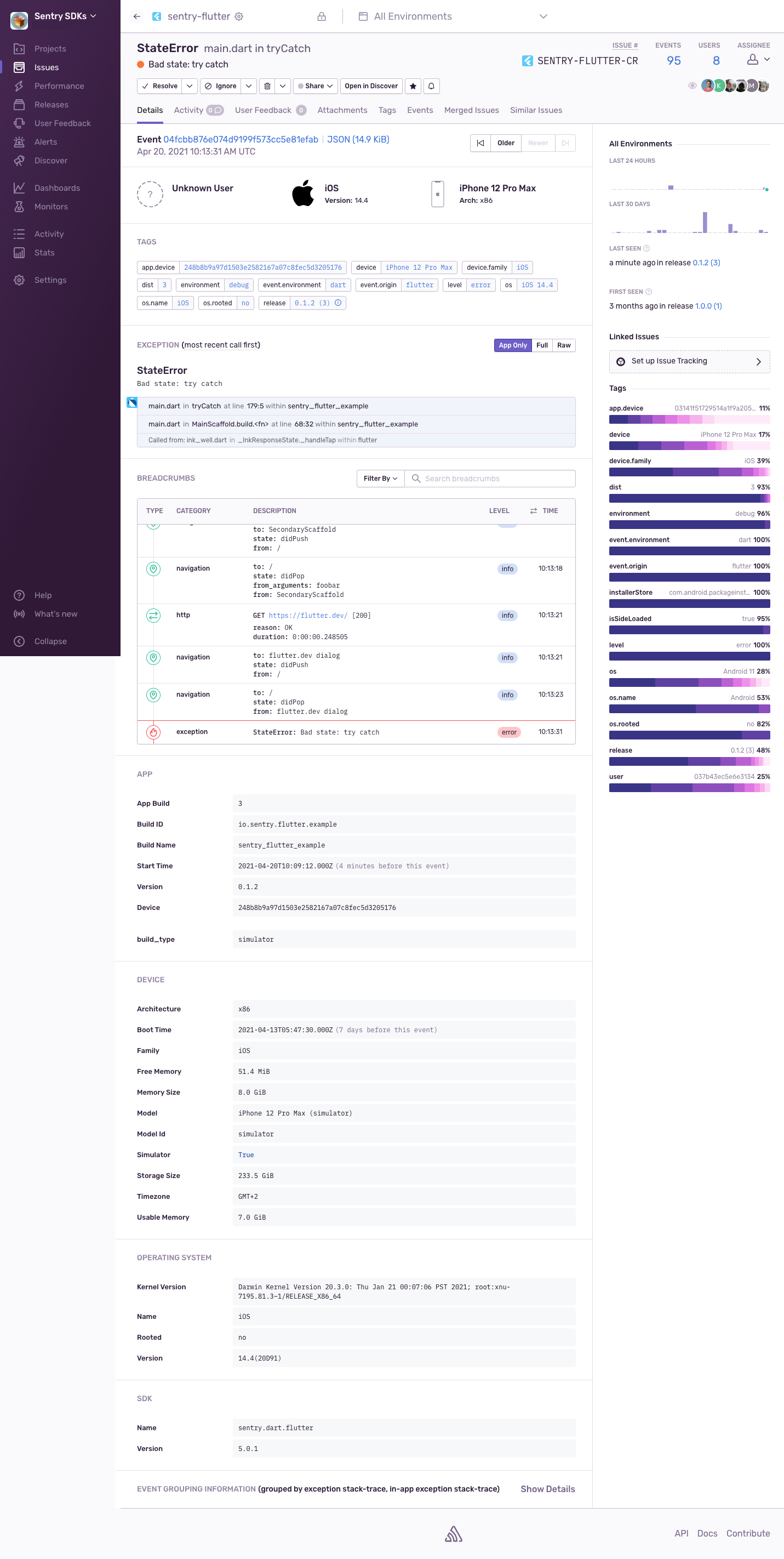
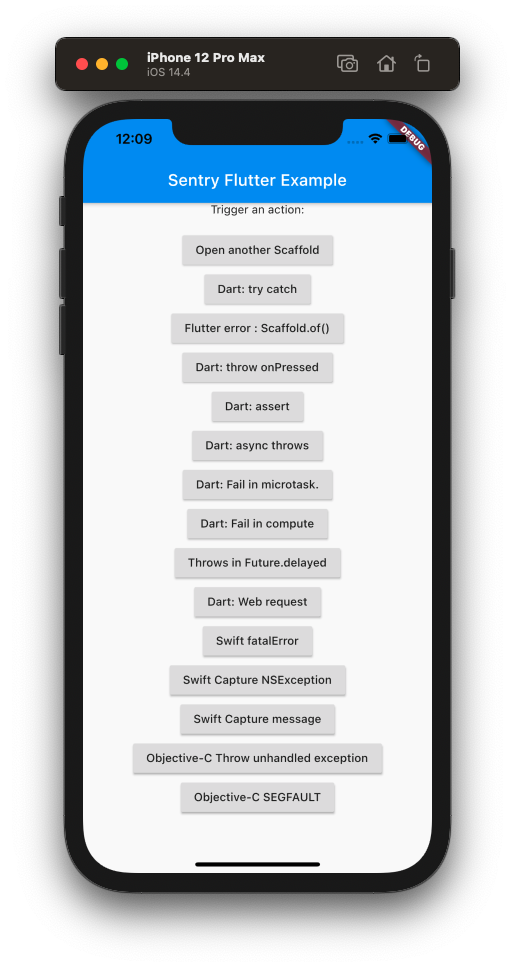
 If you click in order on `Open another scaffold`, `Dart: web request` and
`Dart: try catch`, you should see the following image on
[sentry.io](https://sentry.io/).
Note the event shows only the application frames by default. You can click
on the `Full` button to see the complete stack trace. There's also a list of breadcrumbs for
that exception. In order to get HTTP and navigational breadcrumbs you need to
use
[`SentryHttpClient`](https://docs.sentry.io/platforms/dart/usage/advanced-usage/#automatic-breadcrumbs)
and the
[`SentryNavigatorObserver`](https://docs.sentry.io/platforms/flutter/enriching-events/breadcrumbs/#automatic-breadcrumbs).
If you click in order on `Open another scaffold`, `Dart: web request` and
`Dart: try catch`, you should see the following image on
[sentry.io](https://sentry.io/).
Note the event shows only the application frames by default. You can click
on the `Full` button to see the complete stack trace. There's also a list of breadcrumbs for
that exception. In order to get HTTP and navigational breadcrumbs you need to
use
[`SentryHttpClient`](https://docs.sentry.io/platforms/dart/usage/advanced-usage/#automatic-breadcrumbs)
and the
[`SentryNavigatorObserver`](https://docs.sentry.io/platforms/flutter/enriching-events/breadcrumbs/#automatic-breadcrumbs).