# MTBBarcodeScanner
[](http://cocoadocs.org/docsets/MTBBarcodeScanner)
[](http://cocoadocs.org/docsets/MTBBarcodeScanner)
[](http://cocoadocs.org/docsets/MTBBarcodeScanner)
[](https://github.com/Carthage/Carthage)
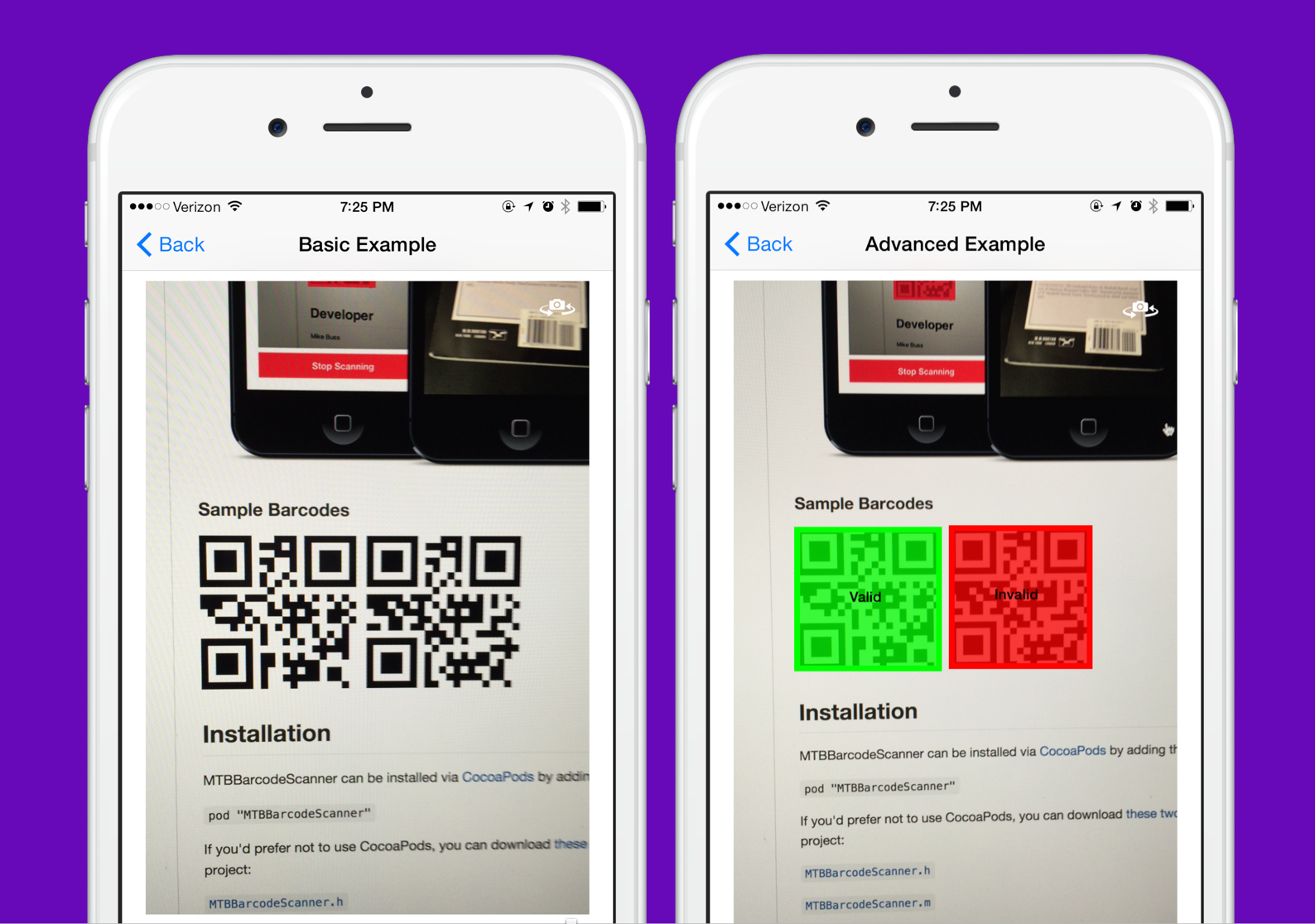
A lightweight, easy-to-use barcode scanning library for iOS 8+. This library is built on top of Apple's excellent AVFoundation framework, and will continue to receive updates as Apple releases them.
With this library you can:
- Supply a custom UIView for displaying camera input
- Read any number of barcodes before stopping
- Read multiple codes on the screen at the same time (2D barcodes only)
- Easily read codes with a block, including the string value and position in the preview
- Easily flip from the back to the front camera
- Toggle the device's torch on and off
- Freeze and unfreeze capture to display a still image from the camera
See demo project for examples of capturing one code, multiple codes, or highlighting codes as valid or invalid in the live preview.
---
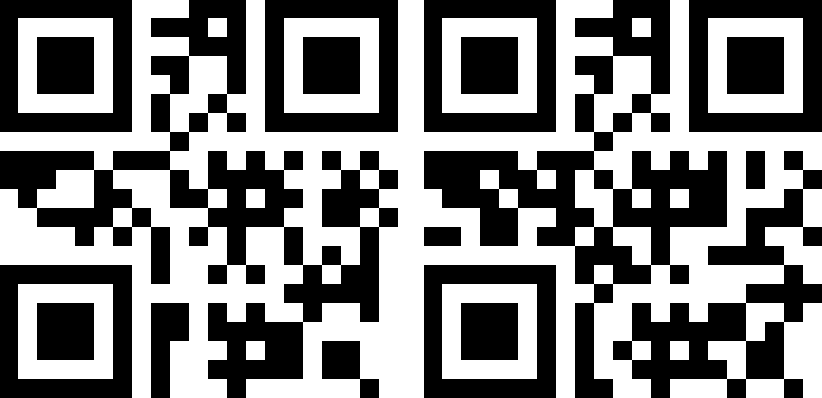
 #### Sample Barcodes
 ---
## Installation
### CocoaPods
MTBBarcodeScanner can be installed via [CocoaPods](http://cocoapods.org) by adding the following line to your Podfile:
`pod "MTBBarcodeScanner"`
### Carthage
[Carthage](https://github.com/Carthage/Carthage) is a decentralized dependency manager that builds your dependencies and provides you with binary frameworks.
You can install Carthage with [Homebrew](http://brew.sh/) using the following command:
```bash
$ brew update
$ brew install carthage
```
To integrate MTBBarcodeScanner into your Xcode project using Carthage, specify it in your `Cartfile`:
```ogdl
github "mikebuss/MTBBarcodeScanner"
```
Run `carthage update` to build the framework and drag the built `MTBBarcodeScanner.framework` into your Xcode project.
### Manual
If you'd prefer not to use a dependency manager, you can download [these two files](https://github.com/mikebuss/MTBBarcodeScanner/tree/master/Classes/ios/Scanners) and add them to your project:
[`MTBBarcodeScanner.h`](https://github.com/mikebuss/MTBBarcodeScanner/blob/master/Classes/ios/Scanners/MTBBarcodeScanner.h)
[`MTBBarcodeScanner.m`](https://github.com/mikebuss/MTBBarcodeScanner/blob/master/Classes/ios/Scanners/MTBBarcodeScanner.m)
---
## Usage in Objective-C Projects
To import the library: `#import "MTBBarcodeScanner.h"`
#### Initialization
To initialize an instance of `MTBBarcodeScanner`:
```objective-c
scanner = [[MTBBarcodeScanner alloc] initWithPreviewView:self.previewView];
```
Where `previewView` is the `UIView` in which the camera input will be displayed.
If you only want to scan for certain MetaObjectTypes, you can initialize with the `initWithMetadataObjectTypes:previewView:` method:
```objective-c
s = [[MTBBarcodeScanner alloc] initWithMetadataObjectTypes:@[AVMetadataObjectTypeQRCode]
previewView:self.previewView];
```
#### iOS 10 and later
If you are using the `MTBBarcodeScanner` library on iOS 10 and later, you need to include the following `Info.plist` key in order to request camera access or the application will crash:
```xml
NSCameraUsageDescription
Can we access your camera in order to scan barcodes?
```
Of course you can also set your own (localized) message here. To find out more about privacy-keys in iOS, check the
[official Apple documentation](https://developer.apple.com/library/content/documentation/General/Reference/InfoPlistKeyReference/Articles/CocoaKeys.html).
#### Scanning
To read the first code and stop scanning:
**Note:** To avoid a delay in the camera feed, start scanning in `viewDidAppear` and not `viewDidLoad`.
```objective-c
[MTBBarcodeScanner requestCameraPermissionWithSuccess:^(BOOL success) {
if (success) {
NSError *error = nil;
[self.scanner startScanningWithResultBlock:^(NSArray *codes) {
AVMetadataMachineReadableCodeObject *code = [codes firstObject];
NSLog(@"Found code: %@", code.stringValue);
[self.scanner stopScanning];
} error:&error];
} else {
// The user denied access to the camera
}
}];
```
If the camera is pointed at more than one 2-dimensional code, you can read all of them:
```objective-c
NSError *error = nil;
[self.scanner startScanningWithResultBlock:^(NSArray *codes) {
for (AVMetadataMachineReadableCodeObject *code in codes) {
NSLog(@"Found code: %@", code.stringValue);
}
[self.scanner stopScanning];
} error:&error];
```
**Note:** This only applies to 2-dimensional barcodes as 1-dimensional barcodes can only be read one at a time. See [relevant Apple document](https://developer.apple.com/library/ios/technotes/tn2325/_index.html).
To continuously read and only output unique codes:
```objective-c
NSError *error = nil;
[self.scanner startScanningWithResultBlock:^(NSArray *codes) {
for (AVMetadataMachineReadableCodeObject *code in codes) {
if ([self.uniqueCodes indexOfObject:code.stringValue] == NSNotFound) {
[self.uniqueCodes addObject:code.stringValue];
NSLog(@"Found unique code: %@", code.stringValue);
}
}
} error:&error];
```
#### Callback Blocks
An alternative way to setup MTBBarcodeScanner is to configure the blocks directly, like so:
```objective-c
self.scanner.didStartScanningBlock = ^{
NSLog(@"The scanner started scanning! We can now hide any activity spinners.");
};
self.scanner.resultBlock = ^(NSArray *codes){
NSLog(@"Found these codes: %@", codes);
};
self.scanner.didTapToFocusBlock = ^(CGPoint point){
NSLog(@"The user tapped the screen to focus. \
Here we could present a view at %@", NSStringFromCGPoint(point));
};
[self.scanner startScanning];
```
This is useful if you would like to present a spinner while MTBBarcodeScanner is initializing.
If you would like to reference `self` in one of these blocks, remember to use a weak reference to avoid a retain cycle:
```objective-c
__weak MyViewController *weakSelf = self;
self.scanner.resultBlock = ^(NSArray *codes){
[weakSelf drawOverlaysOnCodes:codes];
};
```
---
## Usage in Swift 3+ Projects
See the `SwiftExampleViewController.swift` file in the repository for a working example of this.
```swift
import UIKit
import MTBBarcodeScanner
class SwiftExampleViewController: UIViewController {
@IBOutlet var previewView: UIView!
var scanner: MTBBarcodeScanner?
override func viewDidLoad() {
super.viewDidLoad()
scanner = MTBBarcodeScanner(previewView: previewView)
}
override func viewDidAppear(_ animated: Bool) {
super.viewDidAppear(animated)
MTBBarcodeScanner.requestCameraPermission(success: { success in
if success {
do {
try self.scanner?.startScanning(resultBlock: { codes in
if let codes = codes {
for code in codes {
let stringValue = code.stringValue!
print("Found code: \(stringValue)")
}
}
})
} catch {
NSLog("Unable to start scanning")
}
} else {
UIAlertView(title: "Scanning Unavailable", message: "This app does not have permission to access the camera", delegate: nil, cancelButtonTitle: nil, otherButtonTitles: "Ok").show()
}
})
}
override func viewWillDisappear(_ animated: Bool) {
self.scanner?.stopScanning()
super.viewWillDisappear(animated)
}
}
```
To start scanning with a particular camera (front or back):
```swift
try self.scanner?.startScanning(with: .front,
resultBlock: { codes in
if let codes = codes {
for code in codes {
let stringValue = code.stringValue!
print("Found code: \(stringValue)")
}
}
```
---
## Usage in Swift 2.3 Projects
```swift
import UIKit
import MTBBarcodeScanner
class ViewController: UIViewController {
var scanner: MTBBarcodeScanner?
override func viewDidLoad() {
super.viewDidLoad()
scanner = MTBBarcodeScanner(previewView: self.view)
}
override func viewDidAppear(animated: Bool) {
super.viewDidAppear(animated)
scanner?.startScanningWithResultBlock({ (codes) in
for code in codes {
print(code)
}
}, error: nil)
}
}
```
---
## Tap to Focus
By default, MTBBarcodeScanner will allow the user to tap the screen to focus the camera. To disable this functionality, set the `allowTapToFocus` property to NO. To be notified when the user taps the screen, provide a block for the `didTapToFocusBlock` property, like so:
```objective-c
self.scanner.didTapToFocusBlock = ^(CGPoint point){
NSLog(@"The user tapped the screen to focus. \
Here we could present a view at %@", NSStringFromCGPoint(point));
};
```
---
## Switching Cameras
Switch to the opposite camera with the `flipCamera` method on the scanner:
```objective-c
- (IBAction)switchCameraTapped:(id)sender {
[self.scanner flipCamera];
}
```
Or specify the camera directly using `setCamera:error`, like so:
```objective-c
NSError *error = nil;
MTBBarcodeScanner *scanner = [[MTBBarcodeScanner alloc] initWithPreviewView:_previewView];
[scanner setCamera:MTBCameraFront error:&error];
```
Examples for these are in the demo project.
---
## Freezing Capture
Under some circumstances you may want to freeze the video feed when capturing barcodes. To do this, call the `freezeCapture` and `unfreezeCapture` methods.
---
## Limiting the Scan Zone
To limit the section of the screen that barcodes can be scanned in, set the `scanRect` property on MTBBarcodeScanner inside the `didStartScanning` callback block. See `MTBAdvancedExampleViewController` for a working example of this.
```
__weak MTBAdvancedExampleViewController *weakSelf = self;
self.scanner.didStartScanningBlock = ^{
weakSelf.scanner.scanRect = weakSelf.viewOfInterest.frame;
};
```
---
## Controlling the Torch
To control the torch, set the `torchMode` property or call the `toggleTorch` method.
Available values include:
```objective-c
MTBTorchModeOff,
MTBTorchModeOn,
MTBTorchModeAuto
```
---
## Capturing Still Images
To capture a still image, call the `captureStillImage:` method after you've started scanning.
---
## Design Considerations
The primary goals of this library are to:
- Provide an easy-to-use interface for barcode scanning
- Make as few assumptions about the scanning process as possible
- Don't assume the user wants to scan one code at a time
- Don't assume the camera input view should be a particular size
- Don't assume the scanning process will have it's own view controller
## Developer
Mike Buss
- [Website](http://mikebuss.com)
- [GitHub](https://github.com/mikebuss)
- [Twitter](https://twitter.com/michaeltbuss)
- [Email](mailto:mike@mikebuss.com)
## License
MTBBarcodeScanner is available under the MIT license. See the LICENSE file for more info.
---
## Installation
### CocoaPods
MTBBarcodeScanner can be installed via [CocoaPods](http://cocoapods.org) by adding the following line to your Podfile:
`pod "MTBBarcodeScanner"`
### Carthage
[Carthage](https://github.com/Carthage/Carthage) is a decentralized dependency manager that builds your dependencies and provides you with binary frameworks.
You can install Carthage with [Homebrew](http://brew.sh/) using the following command:
```bash
$ brew update
$ brew install carthage
```
To integrate MTBBarcodeScanner into your Xcode project using Carthage, specify it in your `Cartfile`:
```ogdl
github "mikebuss/MTBBarcodeScanner"
```
Run `carthage update` to build the framework and drag the built `MTBBarcodeScanner.framework` into your Xcode project.
### Manual
If you'd prefer not to use a dependency manager, you can download [these two files](https://github.com/mikebuss/MTBBarcodeScanner/tree/master/Classes/ios/Scanners) and add them to your project:
[`MTBBarcodeScanner.h`](https://github.com/mikebuss/MTBBarcodeScanner/blob/master/Classes/ios/Scanners/MTBBarcodeScanner.h)
[`MTBBarcodeScanner.m`](https://github.com/mikebuss/MTBBarcodeScanner/blob/master/Classes/ios/Scanners/MTBBarcodeScanner.m)
---
## Usage in Objective-C Projects
To import the library: `#import "MTBBarcodeScanner.h"`
#### Initialization
To initialize an instance of `MTBBarcodeScanner`:
```objective-c
scanner = [[MTBBarcodeScanner alloc] initWithPreviewView:self.previewView];
```
Where `previewView` is the `UIView` in which the camera input will be displayed.
If you only want to scan for certain MetaObjectTypes, you can initialize with the `initWithMetadataObjectTypes:previewView:` method:
```objective-c
s = [[MTBBarcodeScanner alloc] initWithMetadataObjectTypes:@[AVMetadataObjectTypeQRCode]
previewView:self.previewView];
```
#### iOS 10 and later
If you are using the `MTBBarcodeScanner` library on iOS 10 and later, you need to include the following `Info.plist` key in order to request camera access or the application will crash:
```xml
NSCameraUsageDescription
Can we access your camera in order to scan barcodes?
```
Of course you can also set your own (localized) message here. To find out more about privacy-keys in iOS, check the
[official Apple documentation](https://developer.apple.com/library/content/documentation/General/Reference/InfoPlistKeyReference/Articles/CocoaKeys.html).
#### Scanning
To read the first code and stop scanning:
**Note:** To avoid a delay in the camera feed, start scanning in `viewDidAppear` and not `viewDidLoad`.
```objective-c
[MTBBarcodeScanner requestCameraPermissionWithSuccess:^(BOOL success) {
if (success) {
NSError *error = nil;
[self.scanner startScanningWithResultBlock:^(NSArray *codes) {
AVMetadataMachineReadableCodeObject *code = [codes firstObject];
NSLog(@"Found code: %@", code.stringValue);
[self.scanner stopScanning];
} error:&error];
} else {
// The user denied access to the camera
}
}];
```
If the camera is pointed at more than one 2-dimensional code, you can read all of them:
```objective-c
NSError *error = nil;
[self.scanner startScanningWithResultBlock:^(NSArray *codes) {
for (AVMetadataMachineReadableCodeObject *code in codes) {
NSLog(@"Found code: %@", code.stringValue);
}
[self.scanner stopScanning];
} error:&error];
```
**Note:** This only applies to 2-dimensional barcodes as 1-dimensional barcodes can only be read one at a time. See [relevant Apple document](https://developer.apple.com/library/ios/technotes/tn2325/_index.html).
To continuously read and only output unique codes:
```objective-c
NSError *error = nil;
[self.scanner startScanningWithResultBlock:^(NSArray *codes) {
for (AVMetadataMachineReadableCodeObject *code in codes) {
if ([self.uniqueCodes indexOfObject:code.stringValue] == NSNotFound) {
[self.uniqueCodes addObject:code.stringValue];
NSLog(@"Found unique code: %@", code.stringValue);
}
}
} error:&error];
```
#### Callback Blocks
An alternative way to setup MTBBarcodeScanner is to configure the blocks directly, like so:
```objective-c
self.scanner.didStartScanningBlock = ^{
NSLog(@"The scanner started scanning! We can now hide any activity spinners.");
};
self.scanner.resultBlock = ^(NSArray *codes){
NSLog(@"Found these codes: %@", codes);
};
self.scanner.didTapToFocusBlock = ^(CGPoint point){
NSLog(@"The user tapped the screen to focus. \
Here we could present a view at %@", NSStringFromCGPoint(point));
};
[self.scanner startScanning];
```
This is useful if you would like to present a spinner while MTBBarcodeScanner is initializing.
If you would like to reference `self` in one of these blocks, remember to use a weak reference to avoid a retain cycle:
```objective-c
__weak MyViewController *weakSelf = self;
self.scanner.resultBlock = ^(NSArray *codes){
[weakSelf drawOverlaysOnCodes:codes];
};
```
---
## Usage in Swift 3+ Projects
See the `SwiftExampleViewController.swift` file in the repository for a working example of this.
```swift
import UIKit
import MTBBarcodeScanner
class SwiftExampleViewController: UIViewController {
@IBOutlet var previewView: UIView!
var scanner: MTBBarcodeScanner?
override func viewDidLoad() {
super.viewDidLoad()
scanner = MTBBarcodeScanner(previewView: previewView)
}
override func viewDidAppear(_ animated: Bool) {
super.viewDidAppear(animated)
MTBBarcodeScanner.requestCameraPermission(success: { success in
if success {
do {
try self.scanner?.startScanning(resultBlock: { codes in
if let codes = codes {
for code in codes {
let stringValue = code.stringValue!
print("Found code: \(stringValue)")
}
}
})
} catch {
NSLog("Unable to start scanning")
}
} else {
UIAlertView(title: "Scanning Unavailable", message: "This app does not have permission to access the camera", delegate: nil, cancelButtonTitle: nil, otherButtonTitles: "Ok").show()
}
})
}
override func viewWillDisappear(_ animated: Bool) {
self.scanner?.stopScanning()
super.viewWillDisappear(animated)
}
}
```
To start scanning with a particular camera (front or back):
```swift
try self.scanner?.startScanning(with: .front,
resultBlock: { codes in
if let codes = codes {
for code in codes {
let stringValue = code.stringValue!
print("Found code: \(stringValue)")
}
}
```
---
## Usage in Swift 2.3 Projects
```swift
import UIKit
import MTBBarcodeScanner
class ViewController: UIViewController {
var scanner: MTBBarcodeScanner?
override func viewDidLoad() {
super.viewDidLoad()
scanner = MTBBarcodeScanner(previewView: self.view)
}
override func viewDidAppear(animated: Bool) {
super.viewDidAppear(animated)
scanner?.startScanningWithResultBlock({ (codes) in
for code in codes {
print(code)
}
}, error: nil)
}
}
```
---
## Tap to Focus
By default, MTBBarcodeScanner will allow the user to tap the screen to focus the camera. To disable this functionality, set the `allowTapToFocus` property to NO. To be notified when the user taps the screen, provide a block for the `didTapToFocusBlock` property, like so:
```objective-c
self.scanner.didTapToFocusBlock = ^(CGPoint point){
NSLog(@"The user tapped the screen to focus. \
Here we could present a view at %@", NSStringFromCGPoint(point));
};
```
---
## Switching Cameras
Switch to the opposite camera with the `flipCamera` method on the scanner:
```objective-c
- (IBAction)switchCameraTapped:(id)sender {
[self.scanner flipCamera];
}
```
Or specify the camera directly using `setCamera:error`, like so:
```objective-c
NSError *error = nil;
MTBBarcodeScanner *scanner = [[MTBBarcodeScanner alloc] initWithPreviewView:_previewView];
[scanner setCamera:MTBCameraFront error:&error];
```
Examples for these are in the demo project.
---
## Freezing Capture
Under some circumstances you may want to freeze the video feed when capturing barcodes. To do this, call the `freezeCapture` and `unfreezeCapture` methods.
---
## Limiting the Scan Zone
To limit the section of the screen that barcodes can be scanned in, set the `scanRect` property on MTBBarcodeScanner inside the `didStartScanning` callback block. See `MTBAdvancedExampleViewController` for a working example of this.
```
__weak MTBAdvancedExampleViewController *weakSelf = self;
self.scanner.didStartScanningBlock = ^{
weakSelf.scanner.scanRect = weakSelf.viewOfInterest.frame;
};
```
---
## Controlling the Torch
To control the torch, set the `torchMode` property or call the `toggleTorch` method.
Available values include:
```objective-c
MTBTorchModeOff,
MTBTorchModeOn,
MTBTorchModeAuto
```
---
## Capturing Still Images
To capture a still image, call the `captureStillImage:` method after you've started scanning.
---
## Design Considerations
The primary goals of this library are to:
- Provide an easy-to-use interface for barcode scanning
- Make as few assumptions about the scanning process as possible
- Don't assume the user wants to scan one code at a time
- Don't assume the camera input view should be a particular size
- Don't assume the scanning process will have it's own view controller
## Developer
Mike Buss
- [Website](http://mikebuss.com)
- [GitHub](https://github.com/mikebuss)
- [Twitter](https://twitter.com/michaeltbuss)
- [Email](mailto:mike@mikebuss.com)
## License
MTBBarcodeScanner is available under the MIT license. See the LICENSE file for more info.